


You charge your phone overnight, leave the house with 100%, and by mid-afternoon it is already begging for power. If you are wondering what causes phone battery drain, the answer is usually not just one thing. In our experience, fast battery loss often comes from a mix of screen settings, background activity, weak signal, ageing battery cells, and sometimes a fault that needs proper diagnosis.
The frustrating part is that battery drain can look the same from the outside while having very different causes underneath. A phone that loses charge because of a busy app behaves differently from one with a worn-out battery or a charging fault. That is why guessing rarely saves time.
What causes phone battery drain most often?
For most people, the biggest cause is simple daily demand. Modern phones run brighter screens, faster processors, constant notifications, location services, Bluetooth accessories, mobile data, and dozens of apps checking in behind the scenes. Even when you are not actively using the phone, it may still be working.
The display is one of the biggest battery users. High brightness, long screen timeout settings, always-on display features, and heavy video use all draw power quickly. If you spend a lot of time on maps, streaming, gaming, or social media, faster battery drop is normal to a point.
Background apps are another common reason. Some apps refresh constantly, track location, sync files, or send repeated notifications. A poorly optimised app can drain a healthy battery surprisingly fast. This is especially noticeable after an app update, when a device suddenly starts running warm or losing charge much faster than before.
Signal strength also matters more than most people realise. When your phone struggles to hold a mobile or Wi-Fi connection, it works harder to stay connected. In weak coverage areas, battery drain often increases because the phone keeps searching for signal. That can happen at home, in certain office buildings, or while travelling.
Then there is battery age. All phone batteries wear down over time. They are consumable parts, and their capacity drops with use, heat, and charging cycles. If your handset used to last all day and now struggles to get through half a day, ageing is a likely factor.
Battery drain or battery wear?
These two get confused all the time, but they are not quite the same.
Battery drain is about how quickly power is being used. Battery wear is about how much total power the battery can still hold. A new battery can still drain quickly if an app, setting, or hardware issue is pulling too much power. On the other hand, an old battery may drain at a normal rate, but because it has less capacity left, it still feels like it empties too soon.
This is where pattern matters. If the charge drops quickly during specific tasks such as video calls, gaming, or navigation, usage is probably a big part of it. If the percentage falls suddenly, the phone switches off early, or the battery level behaves erratically, that points more towards battery deterioration or a fault.
Settings and habits that quietly shorten battery life
A lot of battery complaints come down to settings people never think to check. Screen brightness at maximum is the obvious one, but refresh rate, live wallpapers, constant vibration, and always-on widgets can all chip away at battery life.
Push email and frequent app syncing can add up too. If several apps are refreshing every few minutes, your phone never gets much rest. Fitness apps, family location sharing, cloud photo backup, and messaging apps are all useful, but they do create a steady power draw.
Heat is another major factor. Phones do not like running hot, and batteries especially do not like being exposed to high temperatures regularly. Leaving a phone in a hot car, using it heavily while charging, or relying on poor-quality chargers can all contribute to faster battery wear over time.
Charging habits matter, but not in the mythical way you sometimes hear online. You do not need to panic about topping up at 40% or charging before bed occasionally. What matters more is repeated heat, poor charging equipment, and keeping an already ageing battery under constant stress.
What causes phone battery drain on a healthy phone?
Sometimes nothing is actually wrong with the battery. The phone is healthy, but the way it is being used is demanding.
Gaming, streaming in high resolution, mobile hotspot use, video editing, and navigation apps are all heavy tasks. A larger, brighter screen and a faster processor improve performance, but they do not come free. If you have upgraded to a more powerful phone and use it harder, you may simply be seeing realistic battery use rather than a defect.
Software updates can also temporarily increase drain. After a major update, the phone may spend time reindexing files, optimising apps, or resyncing content. This can settle after a day or two. If it does not, then it is worth checking battery usage stats to see which app or service is responsible.
Accessories play a role as well. Smartwatches, wireless earbuds, car Bluetooth, and constant GPS-linked devices all add background load. None of these are a problem on their own, but together they can explain why a phone that once lasted comfortably now runs low earlier.
Signs there may be a fault
Some battery behaviour points beyond normal drain.
If your phone gets hot doing very little, drops from 30% to 5% suddenly, restarts under load, charges slowly, or only holds charge when switched off, there may be more going on than settings. A failing battery is one possibility, but charging port issues, board-level faults, damaged power management components, or liquid exposure can create similar symptoms.
Swelling is a clear warning sign. If the screen is lifting, the back panel is separating, or the phone feels physically distorted, stop using it and get it checked. A swollen battery should not be ignored.
Water damage can also trigger drain even if the phone still works. Corrosion does not always shut a device down straight away. Sometimes it causes subtle power issues first, including heat, charging instability, and unusual battery loss.
What you can check yourself first
Before assuming the battery needs replacing, it helps to rule out the obvious. Look at your battery usage settings and see which apps are consuming the most power. If one app is clearly out of line, update it, restrict background activity, or remove it temporarily to test the difference.
Lower screen brightness, switch off unused Bluetooth devices, reduce unnecessary location access, and check whether poor mobile signal is affecting you at home or work. If your phone supports battery health readings, review them, but take them as one part of the picture rather than the whole story.
It is also worth testing with a known good charger and cable. A charging issue can sometimes look like a battery problem because the phone never properly tops up. If the port is loose, dirty, or intermittent, the battery may not be getting the charge you think it is.
A restart and a software update can help if the drain started suddenly. If the problem appeared straight after an app install or system change, that clue is useful.
When battery replacement is the right fix
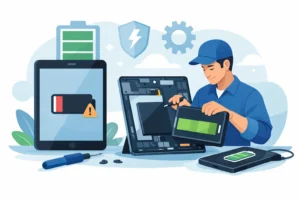
If the battery is worn, replacement is often the most sensible answer. It is usually far more cost-effective than replacing the entire phone, especially if the rest of the handset is in good condition.
The key is accurate diagnosis. Replacing a battery will not solve drain caused by a charging circuit fault, damaged port, or software issue. Equally, spending weeks adjusting settings will not revive a battery that has simply reached the end of its service life.
That is why we always recommend proper testing when the symptoms are unclear. A good repair shop should be able to check battery condition, charging performance, heat behaviour, and whether another fault is present before any work is approved. Clear pricing and a straightforward explanation matter here. Nobody wants to pay for the wrong repair.
For local customers in and around Bracknell, this is often where speaking directly to a technician saves time. A quick diagnostic can separate normal heavy use from a genuine hardware issue and help you avoid unnecessary expense.
A realistic way to think about battery life
Phone batteries are not designed to stay like new forever. Capacity drops, usage changes, apps become heavier, and networks shift. Some drain is normal. The question is whether your phone is behaving in line with its age and use, or whether something has changed that needs attention.
If your battery life has gradually shortened over a couple of years, that is expected. If it suddenly worsens, runs hot, or behaves unpredictably, that is worth checking properly. The sooner you catch the real cause, the easier it usually is to put right.
A phone should work around your day, not force you to plan around the nearest charger. When battery loss starts getting in the way, a proper diagnosis is usually the fastest route back to normal.