



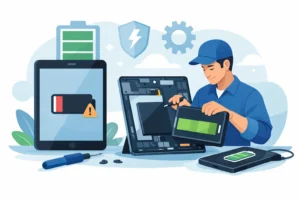



When a laptop only charges if the cable is held at a strange angle, the problem rarely fixes itself. Laptop charging port repair is one of those jobs people often put off until the machine stops powering on altogether, and by then the damage can be wider than a worn socket. A loose port can affect charging stability, battery performance and, in some cases, the mainboard itself.
What goes wrong with a laptop charging port?
The charging port is a high-use component. It takes repeated plug-ins, accidental tugs on the cable, pressure from using the laptop while it is charging, and sometimes stress from the wrong charger altogether. Over time, that wear can loosen the connection between the port and the board, bend the internal pin, crack solder joints, or damage the plastic housing that keeps the connector aligned.
The symptoms are not always dramatic at first. You might notice the charging light flickering, the battery percentage rising and falling, or the laptop refusing to charge unless the plug is pushed firmly to one side. Some devices will show a charger connected but still drain slowly because the contact is poor. Others will cut power completely if the lead moves by even a few millimetres.
That is why proper diagnosis matters. A charging issue is not always the port. It can also be the charger, the battery, the DC-in cable on models that use one, or the charging circuit on the motherboard. Replacing the wrong part wastes time and money.
Signs you may need laptop charging port repair
A failing port usually gives warning signs before total failure. If your laptop charges intermittently, feels loose where the charger connects, gets unusually hot around the socket, or has visible movement in the port itself, it is worth having it checked. A burnt smell, sparking, or blackening around the connector should be treated more urgently.
Physical damage is only part of the picture. Sometimes the laptop looks fine from the outside, but the solder pads underneath have cracked from repeated movement. In those cases, the charger may still fit normally while the connection inside is unreliable.
Common causes of charging port failure
The most common cause is strain. People work with the charger plugged in on sofas, beds and desks where the cable gets bent or knocked. Children and students are especially likely to carry a laptop with the lead still attached. Even one sharp pull can damage the port or the board mount.
Poor-quality chargers are another factor. If the connector is the wrong size, loose, or unstable, it puts extra stress on the socket. Some aftermarket chargers also regulate power poorly, which can create charging faults that look like a bad port at first glance.
Dust and debris can play a part as well. A blocked port may stop the plug seating correctly, and forcing it can bend the centre pin or widen the connector housing.
Why a proper diagnosis matters
A trustworthy repair starts with testing, not guessing. Before any laptop charging port repair is carried out, the charger should be checked, the port inspected under magnification, and the board assessed for signs of cracked joints, heat damage or charging circuit faults. On some models, the port is a separate modular part. On others, it is soldered directly to the motherboard and needs much more precise work.
This difference matters because the repair method, cost and turnaround can vary. A simple DC jack replacement on a modular harness is very different from micro-soldering a damaged port off a board without lifting pads or affecting nearby components. Good repair work is about accuracy, not just swapping parts quickly.
If the motherboard has already been damaged by arcing or repeated movement, the job may involve track repair or additional board-level work. That is not a reason to panic, but it is a reason to avoid temporary fixes. Gluing a loose port in place or forcing the charger to sit at a certain angle can make later repair harder.
How laptop charging port repair is usually done
The process depends on the make and model, but the principle is straightforward. The laptop is opened carefully, the charging area is inspected, and the failed component is identified. If the port is modular, it can often be replaced as a dedicated part. If it is soldered to the board, the old port must be removed with professional tools, the contact points cleaned and checked, and the new port fitted securely.
After fitting, the repair should be tested properly. That means checking voltage behaviour, charging stability, connector fit, and whether the battery is receiving power as expected. A repair is not complete just because the charging light comes on once. It should hold a stable connection without wobble or dropouts.
Soldered port vs modular port
A modular charging port is generally faster and lower risk to replace because it connects through a cable assembly rather than being fixed directly onto the motherboard. Many business laptops and some consumer models use this design.
A soldered port requires more precision. The port has to be desoldered cleanly, and the board pads must remain intact. If previous attempts have damaged the area, the job can become more involved. That is where experienced board-level repair makes a real difference.
Is it worth repairing, or should you replace the laptop?
In many cases, repair is the sensible option. If the laptop still meets your needs and the only major fault is charging, replacing the port is usually far more cost-effective than buying a new machine. That is especially true for students, home users and small businesses that rely on a familiar setup and do not want the disruption of moving files, reinstalling software and replacing accessories.
It depends on the overall condition of the device, though. If the battery is also failing, the hinge area is damaged, or the motherboard has multiple faults, a repair quote should be weighed against the age and value of the laptop. Honest advice matters here. A good repair shop should tell you when a repair is worthwhile and when it is not.
Can you repair a laptop charging port yourself?
If the issue is only compacted dust in the port, careful cleaning may help, but anything beyond that carries risk. Opening a laptop without the right tools can damage clips, screws or cables. Soldering a charging port without proper temperature control and board experience can easily lift pads or short surrounding components.
The harder part is diagnosis. Many people assume the port has failed when the real issue is the charger, battery, or power management circuit. Replacing the wrong part does not solve the problem, and DIY attempts can remove the option of a straightforward repair later.
What to do before the fault gets worse
If your charger cuts in and out, stop wiggling it to keep the laptop alive. That habit often turns a minor mechanical issue into board damage. Back up important files as soon as possible, test with a known good charger if you have one, and get the device checked before the port fails completely.
For local customers in places such as Bracknell, Wokingham or Camberley, being able to speak directly to a technician is often the fastest route to an answer. A clear assessment, transparent price and proper repair method will save more hassle than a cheap temporary fix.
Choosing the right repair service
Laptop charging port repair is not just about getting power back into the machine. It is about making sure the repair lasts. Look for a service that explains whether the fault is the port, charger or board, uses quality replacement parts, and tests the laptop properly after the work is done. Warranty-backed workmanship is a good sign that the repair has been done with confidence.
If the shop offers same-day assessment on common faults, that helps reduce downtime, especially if the laptop is used for work or study. Clear pricing matters too. You should know whether the quote covers diagnosis, the part, fitting and post-repair testing, with no hidden surprises.
At iRepair, the focus is on diagnosing the fault correctly first and repairing it properly with professional tools, not masking the issue and hoping it holds.
A charging fault can look small right up until the moment the laptop stops turning on. If yours is already showing the signs, getting it checked early usually gives you the best chance of a clean, cost-effective repair.