





A single failed laptop can throw off an entire working day. When invoices are stuck on one machine, a shared desktop will not boot, or a staff member cannot access email because of a software fault, computer repair for small business becomes less about the device and more about lost time, missed jobs, and frustrated customers.
Small businesses rarely have the luxury of spare equipment sitting ready in a cupboard. Most rely on a handful of laptops, desktops, printers, tablets, and mobile phones that all need to work properly, every day. That changes the way repairs should be handled. The right repair is not just the cheapest one. It is the one that gets the problem diagnosed properly, fixes the root cause, and gets your team back to work without hidden surprises.
Why computer repair for small business needs a different approach
A home user can often wait a few days. A business usually cannot. If a director’s laptop has failed, if the office PC is running painfully slowly, or if malware has affected shared files, delays quickly turn into real cost.
That is why business repairs need a more practical approach. First, the fault has to be identified accurately. Slow performance might be caused by a failing SSD, overheating, too many startup processes, operating system corruption, or malware. They can look similar from the outside, but the fix is different in each case.
Second, the repair needs to be judged against downtime. Replacing a charging port, reinstalling Windows, removing a virus, upgrading memory, or recovering data may all be worthwhile if they save a business from replacing equipment too early. On the other hand, if a machine has multiple issues and is already years out of date, repair may stop making financial sense.
That balance matters. Good advice is not about pushing a repair at all costs. It is about telling you plainly whether the machine is worth saving.
The most common small business computer faults
Business users tend to see a pattern of issues rather than one-off accidents. Some are hardware failures, some are software problems, and some are the result of devices simply being used hard for years.
Slow computers that waste staff time
This is one of the most expensive problems because it often gets ignored. A machine that takes ten minutes to boot, freezes during browser use, or struggles with accounting software may still technically work, but it is draining time every day.
Sometimes the fix is straightforward. A storage upgrade, memory upgrade, operating system clean-up, or fresh install can make a dramatic difference. Sometimes the slowdown is the warning sign of a failing drive or overheating system. Proper diagnostics matter because guessing often leads to money spent on the wrong part.
Startup failures and crashing systems
If a desktop will not power on, a laptop keeps blue-screening, or a device gets stuck in a repair loop, the cause may be a failed drive, corrupted system files, motherboard issues, RAM faults, or power supply problems.
For a small business, this is where repair speed matters most. The priority is often to secure the data first and then decide whether the unit should be repaired or replaced. If the machine holds customer records, job sheets, or local accounts data, protecting that information comes before anything else.
Virus infections and software corruption
Malware does not always announce itself clearly. It can show up as browser redirects, strange pop-ups, blocked logins, missing files, poor performance, or suspicious background activity.
For small businesses, the risk is wider than one device. An infected laptop can compromise passwords, shared folders, saved payment details, and cloud accounts. A proper virus removal service should not just delete obvious threats. It should also check system integrity, remove unwanted software, review start-up behaviour, and make sure the machine is safe to use again.
Battery, charging and power issues
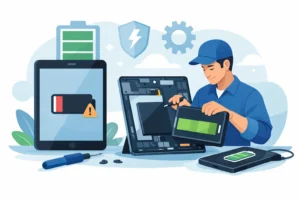
Many small businesses now run on laptops rather than fixed office PCs. That makes battery health and charging reliability a daily concern. If a laptop only works on mains power, randomly switches off, or stops charging at certain angles, productivity suffers quickly.
In many cases, battery replacement or charging port repair is more sensible than replacing the whole machine. But if the motherboard charging circuit is damaged, especially after liquid exposure or poor-quality previous repair work, the job may need a more advanced board-level fix.
Repair or replace – what makes sense for a small business?
This is the question most owners really want answered. The honest answer is that it depends on age, specification, fault type, and how critical the device is to daily operations.
If a relatively modern machine has a failed screen, worn battery, charging issue, software fault, or damaged storage drive, repair is often the sensible option. These are targeted fixes that can extend the usable life of a business device without the cost of full replacement.
If the computer is very old, unsupported, physically worn, and struggling with current software even after upgrades, replacement may be the better investment. A repair can still be useful in that case if the aim is data recovery or keeping the machine going temporarily while you transition to a new one.
The important thing is not to decide based on guesswork. A proper inspection should tell you what has failed, what it will cost to put right, and whether there are likely to be other issues waiting behind it.
What to look for in a repair service
When a small business hands over a working machine with an important fault, or a dead machine containing valuable files, trust matters. You need more than a quick quote and a vague promise.
A reliable repair service should offer clear pricing, realistic timescales, and a proper diagnostic process. You should be able to speak directly to someone who understands the fault, not just someone reading from a script. That is especially important when the issue is not obvious, such as intermittent charging, random shutdowns, or data access problems.
Parts quality matters too. Cheap components can create repeat failures, poor battery life, or unreliable charging. For business users, that usually means more downtime later. Warranty-backed workmanship and quality parts are not just nice extras. They are part of reducing risk.
It also helps if the repair team can handle more than basic swaps. Some faults involve board-level damage, firmware issues, or storage recovery. If the shop only replaces obvious parts, it may miss the real problem.
How to reduce downtime when a business computer fails
The repair itself is only part of the picture. A few practical habits can make faults less disruptive.
Keep cloud backups or external backups current. Make sure key passwords are stored securely and are accessible to the right people. Avoid having one staff member as the only person with access to important files or accounts. Replace failing batteries before they become urgent, and do not ignore heat, fan noise, or repeated freezing.
If a machine starts showing warning signs, get it checked early. Many major failures begin as minor symptoms. A laptop that overheats for weeks may eventually stop powering on. A noisy drive may still work today but fail during a busy week. Early diagnosis is often cheaper than emergency recovery.
For local firms in places such as Bracknell, Wokingham and Camberley, having access to a nearby repair specialist can make a real difference. Being able to get a same-day assessment, walk in with the device, and speak directly to a technician is often far more practical than sending equipment away and waiting without clear answers.
Computer repair for small business with less guesswork
The best repairs are the ones that solve the actual problem first time. That sounds obvious, but many businesses lose money through repeat faults, temporary fixes, or replacing equipment that could have been saved with the right diagnosis.
A business device does not need drama. It needs accurate testing, honest advice, and repair work that is done properly. Whether that means virus removal, a charging repair, a new screen, a storage upgrade, data transfer, or a full operating system reinstall, the goal is the same – restore reliability and keep disruption low.
At iRepair, that is the standard we believe small businesses should expect. Clear pricing, proper tools, quality parts, and straightforward advice make a real difference when your equipment is part of how you earn.
If one of your business computers is starting to fail, the best time to act is usually before it stops completely. A quick check now can save a much bigger interruption later.