


A laptop that suddenly runs hot, a phone that fills with pop-ups, or a desktop that takes ten minutes to open a browser usually is not just “getting old”. In many cases, it is malware. If you are searching for a virus removal service Bracknell residents can rely on, the key is not just deleting a suspicious file. The real job is finding the cause, checking the damage, and making sure the problem does not come straight back.
What a virus problem actually looks like
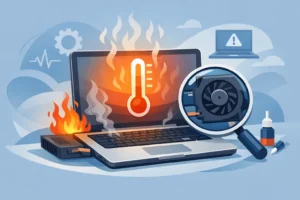
Most people use the word virus for any software issue, but infections can show up in different ways. Sometimes it is obvious – fake security warnings, unwanted apps, browser redirects, or messages being sent from your account without your knowledge. Other times it is less dramatic. A device may slow down, overheat, crash during updates, refuse to load security software, or ask for passwords repeatedly.
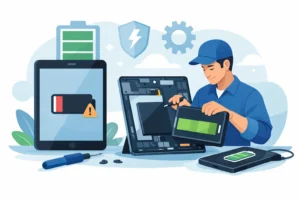
On laptops and desktop computers, malware often hides behind what looks like a performance fault. A machine that freezes during start-up may have damaged system files, unwanted background processes, or a compromised browser extension chewing through memory. On phones and tablets, the signs can be shorter battery life, increased data usage, strange notifications, or apps appearing that you did not install.
That is why proper diagnosis matters. If the issue is treated as a simple clean-up when the operating system is already compromised, you can end up with a temporary fix rather than a proper repair.
Why professional virus removal matters
There is no shortage of free tools and online advice, and some of it is useful. If the infection is minor, a scan and a browser reset may solve it. But malware is not always tidy. Some threats disable antivirus software, create hidden scheduled tasks, alter startup processes, or leave backdoors behind even after the obvious symptoms disappear.
A professional virus removal service Bracknell customers choose should do more than run a quick scan. It should check how the infection got in, whether personal data may have been exposed, and whether the device is stable afterwards. That includes looking at the operating system, browser behaviour, startup items, storage health, and security settings.
There is also a practical point. Many people need the device for work, school, banking, or family use. Spending hours trying random fixes from forums can make things worse, especially if important files are stored locally and not backed up.
Common causes of malware infections
Most infections do not happen because someone was careless. They usually come from everyday situations that catch people off guard. A fake parcel delivery text, a document attached to an email that looks genuine, a free download bundled with adware, or a browser pop-up claiming your device is already infected can all do the job.
We also see problems after software has been left unpatched for too long. Older operating systems, unsupported apps, and outdated browser plugins give attackers more room to work. Shared family laptops and student devices are particularly vulnerable because multiple users install apps, click links, and use the same machine for different tasks.
For small business users, the risks are slightly different. One compromised email account or infected attachment can affect invoices, customer records, saved passwords, and day-to-day access to cloud services. In that case, removal is only one part of the solution. You also need to assess account security and recovery steps.
How a proper virus removal service in Bracknell should work
A good repair process starts with diagnosis, not guesswork. The first step is establishing what the device is doing and when the problem began. That helps identify whether the issue is malware, failing hardware, a corrupted update, or a mix of problems.
The next stage is controlled scanning and manual inspection. Automated security tools are useful, but they are not the whole answer. Some infections need manual removal of malicious files, suspicious services, registry changes, browser hijackers, or rogue software profiles. If the operating system is too unstable or too heavily compromised, a clean reinstall may be the safer route.
That is the trade-off many customers do not hear clearly enough. Full removal keeps your existing setup if possible, but if system integrity is badly affected, reinstalling the operating system can be more reliable. The right option depends on the severity of the infection, the value of the data on the device, and how quickly you need it back in service.
After removal, the final step should be prevention. That means checking updates, removing risky software, reviewing passwords, and making sure proper security tools are active. Without that, the same device can be back with the same problem a week later.
Devices that can be affected
Virus and malware issues are not limited to Windows laptops. Macs can be hit by adware, credential theft, fake update scams, and browser hijacking. Android phones are vulnerable to malicious apps, unsafe downloads, and phishing links. Even iPhones and iPads, while generally more restricted, can still suffer from scam profiles, calendar spam, account compromise, and unsafe browsing behaviour.
Gaming consoles are a different case. They do not usually get “viruses” in the same way as a computer, but account compromise, firmware issues, suspicious downloads, and network-related software problems can create similar symptoms. That is why accurate diagnosis matters so much. The right fix depends on the device, the operating system, and how the issue presents.
What customers usually want to know first
The first question is normally about data. Can photos, documents, coursework, or business files be kept safe? Often yes, but it depends on the condition of the device and the type of infection. If ransomware is involved, the situation becomes more complex. If the machine still allows access to storage, data backup should happen before major repair work where possible.
The second question is turnaround. Some cases can be resolved quickly, especially when the infection is limited to adware or browser hijacking. More serious cases take longer, particularly if there is operating system corruption, account compromise, or a need to back up and reinstall software cleanly.
The third question is cost. Clear pricing matters because malware jobs vary. A straightforward clean-up is not the same as a full system rebuild with data transfer, software reinstallation, and security hardening. Honest service means explaining that difference upfront rather than giving one vague price for everything.
When removal is not enough
Sometimes malware is the headline problem, but not the only one. We often see infections alongside failing hard drives, overheating, battery problems, liquid damage, or charging faults. A laptop that keeps crashing may have both corrupted software and a storage issue. A phone that behaves strangely may have an app problem, but also a battery that is no longer stable.
That is where an experienced repair shop adds value. You are not dealing with software in isolation. You are checking whether the device itself is healthy enough to trust once the malware is gone. For local customers who need one place to handle diagnostics properly, that matters more than a quick remote clean-up that never looks at the bigger picture.
Choosing a virus removal service Bracknell users can trust
Trust comes down to three things – proper diagnosis, clear communication, and no hidden surprises. You should be able to explain the symptoms and speak to someone who understands the likely causes. You should get a realistic view of whether the issue can be cleaned safely or whether reinstalling the system is the better option. And you should know what work is being done before the bill arrives.
It also helps to choose a local repair specialist that deals with devices every day, not just software in theory. Malware rarely appears in a neat textbook form. It turns up on family laptops full of photos, student MacBooks with deadlines looming, office PCs holding invoices, and phones people need back the same day. Practical experience counts.
At iRepair, that means using professional tools, checking the device properly, and focusing on a correct repair rather than a patch-up job. If a clean-up is enough, that is what should be recommended. If the operating system needs reinstalling to make the device safe and stable again, that should be explained clearly.
Aftercare makes the difference
Once a device has been cleaned, the sensible next step is reducing the chance of a repeat problem. Keep software updated, avoid unknown downloads, be cautious with email attachments, and use strong passwords with two-factor authentication where available. If several people use the same device, separate user accounts and basic security habits make a real difference.
For small business users, it is worth reviewing email security, password practices, and backup routines after any infection. For households, a quick check of children’s tablets, shared laptops, and saved browser passwords is often sensible too. Malware removal is not just about getting today’s issue sorted. It is about making tomorrow less disruptive.
If your device has started acting out of character, do not assume you have to replace it. A careful diagnosis often shows the problem is fixable, and the right repair can save both your data and your time. The sooner it is checked, the better your chances of a clean, reliable recovery.